Brushes, Tablets, and Algorithms: The New Creative Toolkit Reshaping Who Gets to Call Themselves an Artist
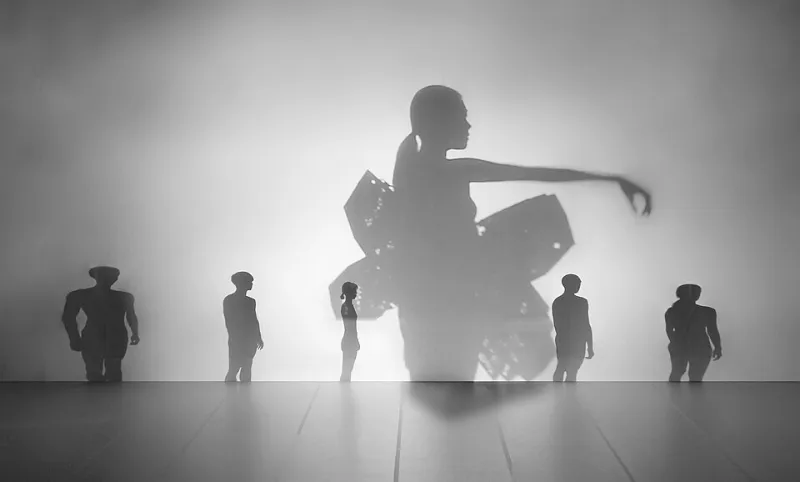
Photo: Smogoblogs, CC BY-SA 4.0, via Wikimedia Commons
Not long ago, breaking into the professional art world required a very specific set of resources: expensive studio space, premium materials, access to the right galleries, and ideally a network built through a fine arts degree that cost as much as a small house. For a lot of talented people — particularly those without geographic luck or financial cushion — those barriers were simply too high.
That story is changing fast.
A 22-year-old illustrator in Tulsa with a $400 tablet and a Procreate subscription can now produce work that competes visually with output from studios charging ten times more. A self-taught designer in rural Montana can build a following of tens of thousands and license work to brands without ever stepping foot in a major city. The playing field isn't perfectly level yet, but it's flatter than it's ever been — and the artists paying attention are building real careers out of it.
The Tool Revolution Didn't Happen Overnight
To understand where we are, it helps to remember where we were. Even fifteen years ago, professional-grade digital art tools were genuinely inaccessible for most people. Adobe Creative Suite ran hundreds of dollars as an outright purchase. High-quality drawing tablets from Wacom started at prices that made hobbyists wince. And the learning curve was brutal — there were resources, sure, but nothing like the ecosystem of free tutorials, YouTube deep-dives, and community forums that exist today.
The shift happened in layers. Cloud-based subscription models brought Adobe's suite down to a manageable monthly cost. Competitors like Affinity Designer offered one-time purchase alternatives at a fraction of the price. Procreate launched on iPad and became, for many illustrators and digital painters, the most intuitive drawing experience they'd ever had — at a one-time cost of about ten dollars.
Then the hardware caught up. iPad Pros and Apple Pencils hit a sweet spot between performance and price. Android tablets improved dramatically. And suddenly, a capable digital art setup was something you could put together for under $600 total, rather than a multi-thousand-dollar investment.
Case Study: Building a Career Without the Traditional Path
Jasmine Ortega, a 28-year-old artist based in San Antonio, Texas, started posting digital illustrations on Instagram in 2019 with nothing more than a base-model iPad and a free trial of Procreate. She had no formal art training, no gallery connections, and no budget for marketing.
By 2022, she was licensing artwork to a national stationery brand, selling prints through her own Shopify store, and teaching online workshops to a community of over 3,000 paying students. Her entire workflow is digital-first — concept sketching, final illustration, color work, and even some light animation, all done on the same device she uses to answer emails.
"The tools gave me permission to take myself seriously," she says. "When I could actually produce something that looked professional, I started treating it like a profession."
That psychological shift — from hobbyist to professional — is something a lot of emerging digital artists describe. The quality ceiling of accessible tools has risen to the point where the work can speak for itself, regardless of how it was made or what it cost to make it.
The AI Question Nobody Wants to Ignore
Okay, let's talk about it. AI-assisted art tools are here, they're getting more capable every month, and they're stirring up genuine anxiety in creative communities across the country. That anxiety is understandable and, in some cases, worth taking seriously.
But there's a distinction worth drawing between AI as a replacement for creative vision and AI as one tool among many in a thoughtful practice. Artists at Madhur Arts, for example, think about creative tools in terms of what they enable rather than what they automate. Used intentionally, AI-assisted tools — whether that's Midjourney for reference generation, Adobe Firefly for texture exploration, or machine-learning-based color grading — can accelerate certain parts of a workflow without replacing the judgment, taste, and vision that make work distinctive.
The artists who seem to navigate this most successfully are the ones who are clear about where their creative voice lives. If your value as an artist is your unique perspective, your ability to tell a specific kind of story, your visual sensibility — no algorithm is replicating that anytime soon. But if you've been spending three hours on tasks that a tool could handle in twenty minutes, that's three hours you could be spending on the parts of the work only you can do.
Choosing Tools That Serve Your Work (Not the Other Way Around)
Here's some practical guidance for artists who are navigating the options:
Start with one thing and go deep. The temptation to collect tools is real, but the artists who build strong practices usually master one or two core applications before expanding. If you're an illustrator, Procreate or Adobe Fresco will cover the vast majority of what you need. Get fluent before you add.
Consider your output format. Are you making prints? Editorial illustration? Motion content? Animation work? Your end format should drive your tool selection, not the other way around. A printmaker and a motion designer have completely different needs, and the best tool for one can be the wrong choice for the other.
Don't sleep on free resources. The YouTube ecosystem around digital art tools is genuinely extraordinary right now. Channels dedicated to Procreate techniques, Affinity workflows, and Clip Studio Paint have millions of subscribers for a reason — the content is good and it's free. Before you pay for a course, exhaust what's available for nothing.
Protect your process. This is the integrity piece. Whatever tools you use, maintain clarity about what decisions are yours. The best digital artists aren't people who found the best software — they're people who use software to execute a vision that's distinctly theirs.
The Bigger Picture
What's happening right now in digital art tool accessibility isn't just a technology story. It's a story about who gets to participate in the creative conversation — and the answer is increasingly: anyone with a vision and the willingness to put in the work.
For the global creative community that Madhur Arts exists to speak to and celebrate, that's genuinely exciting. The next generation of artists shaping contemporary visual culture might be working from a bedroom in Indianapolis or a kitchen table in Albuquerque. The tools are there. The audiences are there.
The only remaining question is what you're going to make.